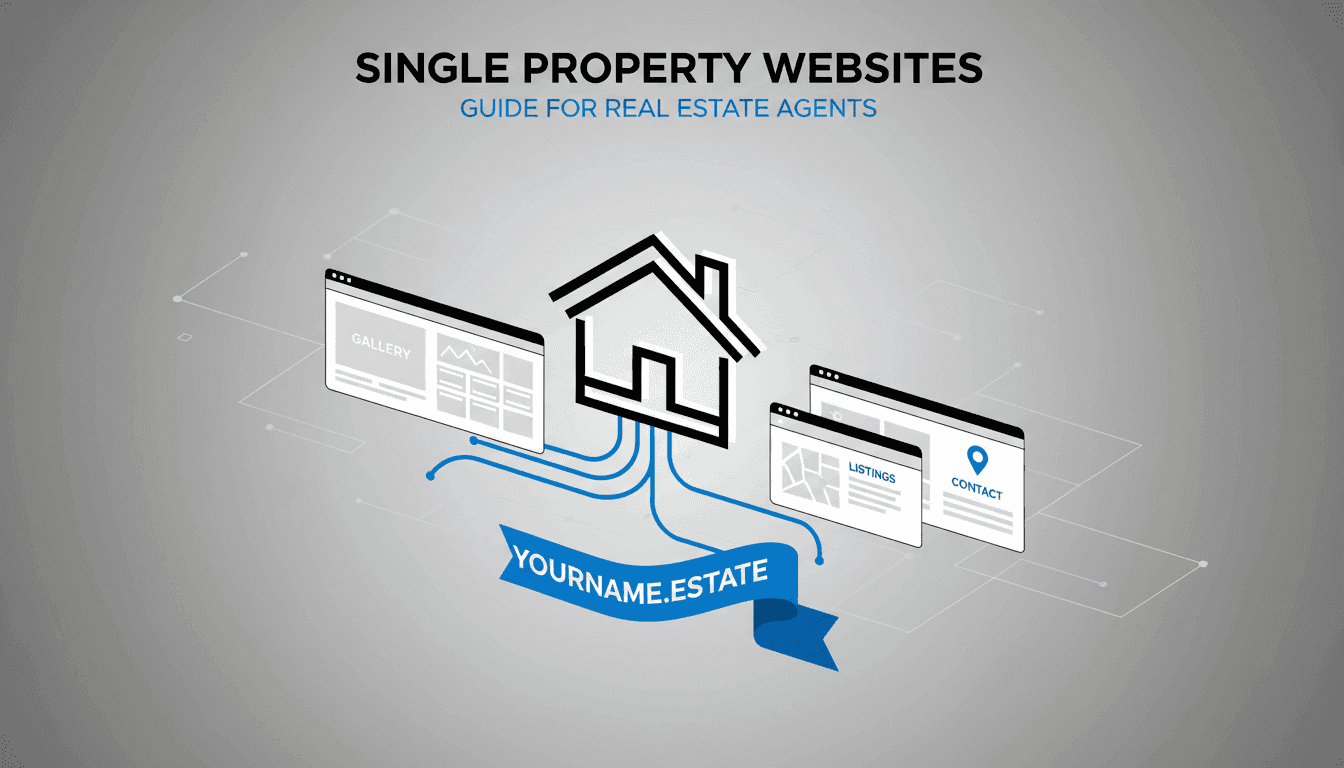
Single Property Websites: The Complete Guide for Real Estate Pros Who Want to Own Their Leads

If we’re still texting people Zillow or Redfin links, we’re basically training our clients to hang out with our competitors. They click “similar homes,” hit “Contact Agent,” and suddenly three other agents are in their inbox. A dedicated single property website flips that script and puts every listing—and every lead—back on our turf.

In this guide, we’ll break down what single property websites are, why they work so well, what to put on them, and the exact tools and workflows we use so they don’t eat our weekends. Whether we’re a solo agent, a team, or a brokerage, the goal is simple: build lead-generating single property sites that help us dominate our listing market without getting buried in tech.

What is a single property website?

A single property website (also called a listing microsite, individual property website, or dedicated listing website) is a standalone, highly visual website focused on one property and one address.

Instead of sending people to a generic brokerage page or an MLS portal, we send them to a URL like:

  • www.1122MainStreet.com
  • www.121FrontStreet.com
  • yourbrand.com/1122-main-st

On that URL, there’s:

  • One listing (no “similar homes” to distract buyers)
  • Our branding, colors, logo, and agent info
  • Photo galleries, video tours, floor plans, maps, and neighborhood info
  • Lead capture forms (“Request a showing,” “Get more info”) that send directly to us

In other words, a single property website is a digital brochure and marketing hub for one listing. Services like Single Property Sites, CribFlyer, Simple Realty Websites (GM Web Services), My Single Property Websites, Relahq, OSI IDX, and the DIY setups we build in Canva or WordPress are all just different flavors of this same idea: make beautiful, mobile-friendly, lead-generating single property sites fast.

Why single property websites work (and why we use them on listings that matter)

They tell a story, not just show data

Portals are basically spreadsheets with photos. Helpful, but emotionless. When we build a dedicated listing website, we get to control:

  • The sequence – hero video or hero image first, then lifestyle shots, then details
  • The tone – “Warm family home” vs. “sleek urban loft” vs. “lock-and-leave condo”
  • The narrative – from sunrise coffee on the deck to sunset over the greenbelt

We’ve seen this over and over with our own sites: the same listing copy dropped onto a portal feels flat; presented as a curated, full-screen experience on a single property site, it suddenly feels like a premium product launch.

They impress sellers and win listing presentations

Every major platform we analyzed leans hard on this: “DOMINATE YOUR LISTING MARKET,” “Win more listings,” “Never lose a listing.” And they’re right. When we sit down with a seller and can say:

“Every listing we take gets its own dedicated property website at a custom domain like 123MainStreet.com, with a full photo slideshow, 3D tour, floor plan, school info, and a built-in showing request form. Here’s a live example.”

…we instantly separate ourselves from the “I’ll throw it on the MLS and post it on Facebook” crowd. We’ve literally had sellers choose our listing package because they loved the idea of their home having its own URL on a sign rider. The site itself is marketing—but the promise of that site is also a powerful listing presentation tool.

They keep leads on our turf instead of Zillow’s

Here’s the real leverage. When we send someone a portal link:

  • The portal controls the page layout, calls-to-action, and lead capture.
  • “Contact Agent” might not mean us; it might mean whoever bought that ZIP code.
  • “Similar homes” sends them down a rabbit hole away from our listing.

When we send them to 123MainStreet.com instead:

  • There are no competing agents.
  • All lead forms route directly to our email/CRM.
  • Our tracking pixels fire, so we can retarget visitors with ads later.

We’ve watched this play out in our own follow-up. A buyer might not end up buying the specific home they first clicked—but because they found it through our single property website, they’re now in our ecosystem, not Zillow’s.

They create perceived value and professionalism

Sellers equate effort with value. When we show them a polished property website with:

  • A clean, memorable URL
  • Cinematic hero media
  • Interactive floor plans and virtual tours
  • Printable flyers and QR codes already wired up

…they feel like we’re running a professional marketing campaign, not just “putting the house on the MLS.” We’ve seen listing appointment conversations shift the moment we pull out a tablet and walk through a live property microsite for a recent listing in their neighborhood.

They simplify and automate our marketing

Modern single property website platforms are real estate marketing engines. Once we input a listing (or let an IDX feed pull it in), they can automatically generate:

  • The dedicated property website and mobile-optimized version
  • Printable PDF flyers (often with QR codes)
  • Email flyers we can paste into Constant Contact or Mailchimp
  • Craigslist or Facebook Marketplace ad HTML
  • Social media sharing links and sometimes even Facebook apps

In our own workflow, we treat the single property site as the hub and everything else—postcards, social posts, emails, open house signs—as spokes pointing back to that hub. Enter once, publish everywhere.

They can be SEO-friendly assets for the address and neighborhood

We don’t rely on single property sites to rank for broad searches like “homes for sale in Austin.” But for long-tail queries like:

  • “123 Main Street Springfield”
  • “Greenview Estates 4 bedroom home for sale”

…a well-structured, SEO-friendly single listing site (clean URL, meta tags, area info, school ratings) can outrank portals. That’s especially useful when buyers Google an address they saw on a sign rider and our property microsite is the first result they see.

Anatomy of a high-converting single property website

The best single property websites we’ve built and studied all share a similar structure. We can think of it as a checklist we run through for every listing.

1. Clean, memorable URL (our “digital sign rider”)

Even if we’re using a hosted platform that gives us a subdomain (like ourbrand.cribflyer.com/123-main-st), we often still buy a vanity domain and forward it.

  • Keep it short and easy to say out loud: 41RochesterWay.com, LiveOnMapleGrove.com, 123MainStTown.com
  • Avoid weird spellings that are hard for people to type from a yard sign.

We treat the domain like a marketing hook. It goes on the yard sign rider, postcards, and email subject lines: “Tour 41RochesterWay.com before it hits the portals.”

2. Hero section that hooks visitors immediately

Above the fold is where we win or lose attention. Our hero section usually includes:

  • Bold headline describing the property or lifestyle (e.g., “Sun-Drenched Craftsman in Greenview Estates”)
  • Subheadline with key facts and a hook (beds, baths, neighborhood name, big feature)
  • Hero media – a striking exterior shot, a lifestyle photo, or a short video loop
  • Primary CTA button – “Schedule a Tour,” “Take the 3D Tour,” or “View Gallery”

On Canva-built sites, we’ll often add a gradient overlay to the hero image so our headline stays readable on mobile. On platforms like Relahq, CribFlyer, or Single Property Sites, we just pick a template that does that for us.

3. Property description that actually sells (not just fills MLS fields)

We avoid the usual “Great! Fantastic! Won’t last!” clichés. Instead, we focus on:

  • Lifestyle: what mornings, weekends, and evenings feel like in this home
  • Specifics: quartz counters instead of just “updated kitchen,” 2022 HVAC instead of “new systems”
  • Neighborhood vibe: school runs, parks, local coffee shops, commute patterns

To move fast, we often use AI: we feed in bullet points (beds, baths, upgrades, neighborhood notes) and ask for a 200–300 word description tailored to our target buyer (family, downsizer, investor, etc.). Then we tweak to match our voice. Many dedicated single property website builders now include this kind of AI-assisted copywriting directly in the editor.

4. High-quality visuals: photos, video, and floor plans

This is where single listing websites shine compared to generic real estate portals and MLS search pages.

  • Unlimited gallery images with a curated order (hero shots first, then main living areas, then details)
  • Full-screen photo slideshow or card-style galleries with multiple image views
  • Embedded video tours hosted on YouTube/Vimeo or shot directly for the listing
  • 3D/virtual tours (Matterport, iSpy360, etc.) embedded prominently
  • Floor plans with hotspots, where buyers can click rooms to see corresponding photos

On some properties, we lean heavily on virtual staging and day-to-dusk edits to elevate older or vacant homes. As long as we disclose virtual staging clearly in the captions, it gives us a high-end look without physical staging costs.

5. At-a-glance key facts and features

Buyers want quick answers: price, beds, baths, square footage, and parking. We always include a compact “at-a-glance” section near the top of the single property site:

  • Price
  • Beds / baths
  • Square footage (home and lot)
  • Year built and year of major renovations
  • HOA dues and what they cover (if applicable)
  • Property type and parking info

On Canva, we usually lay this out as an icon row set (bed, bath, ruler, car). On platforms like CribFlyer or Single Property Sites, we use their built-in “key facts” widgets.

6. Detailed features and amenities

We separate out features instead of burying them in one long description. Typical sections:

  • Interior features (flooring, ceiling heights, fireplaces, built-ins)
  • Kitchen highlights (appliances, counters, cabinets, pantry, islands)
  • Primary suite (layout, bath finishes, closets, views)
  • Outdoor living (patio, deck, yard, pool, views, orientation)
  • Community amenities (pool, gym, clubhouse, parks, trails)

On more premium listings, we often create a “Feature Highlights” download as a PDF and link to it from the site, so buyers can print or save it.

7. Location, map, and area information

Good single property websites don’t stop at the front door. They also sell the neighborhood:

  • Interactive Google Map embedded and centered on the property
  • Nearby shops and amenities (grocery, gyms, restaurants, cafes)
  • Parks and recreation (trails, dog parks, playgrounds)
  • Commute details (distance to downtown, freeway access, transit stops)
  • School information and, where allowed, school rating settings or links

This is standard on many IDX-powered single property websites and property marketing platforms. When we build in Canva, we often embed a Google Map and pair it with a short list of local favorites to “humanize” the area info.

8. Lead capture forms and calls-to-action

A pretty listing showcase without lead capture is wasted potential. We always make it extremely easy to raise a hand:

  • Schedule a showing” or “Book a tour” form
  • Request more information” or “Ask a question” form
  • RSVP for open house” when appropriate
  • Request disclosures” or “Download floor plan” behind a simple email gate

On dedicated platforms like Relahq, CribFlyer, Single Property Sites, or OSI IDX, these contact forms and showing request forms are built-in. Leads route via email/SMS and often push directly into our CRM. On DIY Canva/WordPress builds, we’ll embed a form from our CRM or use a simple form plugin and hook it into our follow-up system.

9. Agent branding, brokerage, and compliance

Every single property website should reinforce our personal brand and comply with local regulations:

  • Our name, license, title, and headshot
  • Brokerage or office logo
  • Contact info (tap-to-call and tap-to-email on mobile)
  • Links to our main real estate website and social media profiles
  • Required equal housing and MLS logos or disclaimers

When we roll this out at the team or brokerage level, we standardize branding and compliance sections so every listing-specific website carries a consistent, professional look.

10. Documents and downloads

Where allowed by MLS and state rules, we like to make key documents available or at least clearly requestable:

  • Seller disclosures
  • Floor plans
  • Pre-inspection reports
  • List of recent upgrades and dates
  • HOA docs or “request HOA docs” CTA

Most real estate-specific single property website builders (CribFlyer, SPS, etc.) support document uploads. On DIY builds, we host PDFs and link them behind a simple form so buyers have to leave an email before downloading.

Platforms and builders: how we actually create single property websites

We have three main routes to create conversion-optimized single property websites without reinventing the wheel: dedicated platforms, general website builders, and Canva-based microsites.

Option A: Dedicated single property website platforms

These are built specifically for real estate agents and listing agents. They focus on beautiful single property sites, automated marketing assets, and simple pricing.

  • CribFlyer – Quick single listing websites with drag-and-drop style editing, custom domains, photo slideshows, video, 3D tours, Google Maps, lead forms, and visitor reports. Pricing is per active site (e.g., $7/month for 1 property, scaling for more).
  • Single Property Sites (SPS) – Lean into “dominate your listing market” messaging. Their platform creates property websites plus print flyers, Craigslist ads, email flyers, and more. Pricing can be as low as around 97¢ per month per active listing on some plans, with no contracts.
  • Simple Realty Websites / GM Web Services – More “done-for-you” style: we send photos and basic info, their team builds the site, writes styled listing copy, and bakes in SEO and mobile optimization. This is more like a $200 marketing tool per listing with a custom property microsite and all the design done for us.
  • My Single Property Websites – Offers dedicated listing websites and related tools with agent and office solutions, emphasizing mobile-friendly designs and automation.
  • Relahq single property websites – Positions itself as a full real estate marketing engine with features like unlimited gallery images, videos, floor plans, map & amenities, school info, social sharing, and built-in lead forms, integrated into an overall listing-centric platform.
  • IDX platforms with single property landing pages (e.g., OSI IDX) – We pay for a full, IDX-powered real estate website (often around $45/month plus setup), and the system automatically creates a single property website or landing page for every active listing, at no additional per-listing cost. All leads on those dedicated listing pages go directly to the listing agent.

We reach for these when we want speed, automation, and built-in real estate marketing tools: automated print flyers with QR codes, Facebook page apps, Craigslist HTML, and office or broker solutions that scale across multiple agents.

Option B: General website builders (WordPress, Wix, Squarespace)

For agents and teams who want total control and don’t mind more setup, we’ve also used general site builders:

  • WordPress – Using a single property or landing-page theme, we can spin up individual property microsites on our own domain. This gives us full design freedom and SEO control, but we’re responsible for hosting, updates, and security.
  • Wix / Squarespace – Drag-and-drop, no-code platforms where we can build single listing landing pages using portfolio or landing templates. We add galleries, videos, forms, and maps manually. These can work well when we want a fully branded property marketing website on our own domain, but we’re willing to do a bit more hands-on design.

We go this route when brand control matters more than automation, or when we’re already running our main broker site on these platforms and want to add property-specific landing pages under the same brand umbrella.

Option C: Canva single property websites (our favorite low-cost hack)

Canva’s “website” feature has become a go-to for us when we need a one-page property website that looks great, is mobile-friendly, and doesn’t require any code or plugins.

Our Canva workflow usually looks like this:

  • Create a multi-page Canva “Website” design where each page is a section (Hero, Description, Features, Map, Gallery, Virtual Tour, Contact).
  • Use Canva’s grids for a 3-photo layout, text blocks for the description, and icon rows for beds/baths/square footage/parking.
  • Embed a live Google Map for the property address and a YouTube video for the virtual tour.
  • Create a separate Canva Presentation for the gallery, one photo per slide with smooth transitions, then embed that into the main site as an interactive slideshow.
  • Add a contact section with our headshot, name, brokerage, and clickable buttons linked with tel: and mailto: schemes so mobile visitors can call/email with one tap.
  • Publish as a Canva website on ourname.canva.site/123-main-street and, if we want a nicer URL, forward a custom domain (like 123MainStreet.com) to it.

This approach is fantastic when we want a high-impact single listing landing page on a tight budget or a tight timeline, and we’re comfortable dragging and dropping elements ourselves.

Step-by-step: our repeatable workflow for building a single property website

However we’re building—Relahq, CribFlyer, SPS, Canva, WordPress—the process is roughly the same. We treat each single listing website like a checklist-driven campaign.

Step 1: Gather assets once

Before we touch any builder, we pull together:

  • Final, edited listing photos (including any virtually staged or day-to-dusk images)
  • Floor plans (PDF or images)
  • 3D tour links (Matterport or similar)
  • Video tour (hosted on YouTube/Vimeo)
  • Property specs (beds, baths, square footage, HOA, year built)
  • Upgrade and features list (we use this to fuel both the description and feature sections)
  • Neighborhood notes (distances to key amenities, school names, commute notes)
  • Our headshot, brokerage logo, contact info, and any compliance text

Step 2: Create the structure and choose a design

We then:

  • Create a new listing site in our chosen platform or a new page in Canva/WordPress
  • Pick a single property website template or layout style that’s:
    • Mobile-optimized and responsive
    • Simple and clean (good for lead conversion)
    • On-brand with our main site’s look and colors

We try to stick with one or two single property site templates across listings so sellers recognize our “signature style.” It also speeds up production because we’re not reinventing the layout every time.

Step 3: Add media and write compelling copy

Next, we drop in the visuals and text:

  • Upload unlimited gallery images and arrange them intentionally
  • Embed video walkthroughs and virtual tours above the fold or right after the hero
  • Add floor plans and, if supported, set up hotspots for room photos
  • Paste the long-form property description and feature bullets
  • Fill in all listing info: beds, baths, square footage, lot size, price, MLS info

We often lean on AI to quickly generate descriptive, SEO-friendly copy for the site that goes beyond the bare-bones MLS remarks. That keeps us from spending an entire afternoon wordsmithing every paragraph while still sounding polished and professional.

Step 4: Configure lead capture and contact options

This is where we connect the single property site back to our lead-generation and follow-up systems:

  • Turn on “Request a showing” and “More info” forms, making sure all leads go to us
  • Connect forms to our CRM where possible or set up notifications so we never miss an inquiry
  • Add tap-to-call and tap-to-email links for mobile visitors
  • Optionally gate downloads (like floor plans or disclosures) behind an email field

Our rule: no one should have to hunt for how to contact us. Every scroll or major section should make it obvious how to schedule a tour or get more info.

Step 5: Publish and connect a custom domain

Once the site looks right and works on desktop and mobile, we:

  • Publish it on the platform’s subdomain or our own domain
  • Register a simple, address-based domain (e.g., at GoDaddy) if we want a more polished URL
  • Point that domain to the property site using DNS settings or forwarding

We then print that URL on sign riders, postcards, open house materials, and marketing flyers, and we use a QR code to make it one-tap from a phone camera.

Step 6: Use the single property site as the hub of our marketing

Now that the dedicated listing website is live, we run everything through it:

  • Social media: all “Just Listed,” “Open House,” “Price Improvement,” and “Just Sold” posts link to the site
  • Email blasts: buyer lists, past clients, and sphere emails all push to the property microsite
  • Yard signs and sign riders: short URL and QR code go right under the main sign
  • Print ads and postcards: call-to-action is “See all photos and tour this home at 123MainStreet.com”
  • MLS public remarks (where allowed): “For full photo gallery and 3D tour, visit 123MainStreet.com”

In practice, this turns the single listing website into the hub of our online marketing and lets us keep a consistent, measurable funnel for every property.

Step 7: Track analytics and use them in seller updates

Whenever our single property website builder supports analytics (or when we plug in Google Analytics or similar), we monitor:

  • Unique visitors and page views
  • Traffic sources (social, email, direct, search)
  • Engagement with key sections (photo gallery, virtual tour, forms)

We then reuse those numbers in our weekly seller updates:

“Your dedicated property website had 320 unique visitors this week. 60% came from Facebook ads, 25% from our email campaign, and the most viewed section was the virtual tour.”

That kind of reporting impresses sellers and proves that the “digital brochure” is working as part of a broader real estate marketing strategy.

Pricing models: how much do single property websites cost?

From our experience and the platforms we’ve reviewed, there are four main pricing models for single listing websites and property marketing solutions.

Per-listing / pay-per-site property websites

We pay per property site, often around the “$200 marketing tool” level for a fully custom, done-for-you, premium single property website with:

  • Professional design and setup
  • Unlimited image gallery
  • Styled descriptions and built-in SEO
  • Hosting for the duration of the listing

This works well for luxury listings, special properties, or situations where we want a “wow” factor and don’t mind a higher per-listing spend.

Subscription per active listing (low-cost, scalable)

Platforms like Single Property Sites use a low, per-active-listing subscription model, as low as around 97¢ per month per listing on some plans, without contracts and without nickel-and-dime feature add-ons. We pay while listings are active; when they sell, our cost drops with our inventory.

This is attractive for agents and teams who want beautiful single property websites for every listing, but at a predictable, low monthly cost.

Bundled into an IDX real estate website subscription

IDX providers like OSI IDX and others include single property website landing pages as part of a broader real estate website platform:

  • We pay a flat monthly fee (e.g., $45/month + setup + MLS fees) for a full IDX-powered real estate site.
  • The system automatically creates SEO-friendly, lead-generating single property pages for each active listing.
  • Those individual property websites share the same branding and domain structure, and all leads go directly to the listing agent.

We lean on this model when we want an all-in-one real estate marketing engine: main agent/broker website, full IDX search, and individual listing landing pages without separate contracts.

White-label and office-level solutions

Teams, brokers, lenders, and title companies can also license white-label single property website services and brand them as their own:

  • Broker office solutions that give every agent in the office a consistent way to generate dedicated listing websites
  • Co-branded property sites with lenders or loan officers, sharing costs and leads
  • Title company packages offering property websites to agents as a value-add and relationship-builder

We’ve seen broker-level platforms that let us spin up branded single property sites for every listing in the brokerage, with shared templates, brand identity, and team reporting—all under one subscription.

Who benefits most from single property websites?

Individual agents and listing agents

For solo agents or small teams, single property websites help us:

  • Stand out as the “marketing-forward” listing agent in our market
  • Use each listing as a lead generation engine, not just a transaction
  • Turn listing presentations into full-blown marketing proposals with dedicated property websites as a centerpiece

We’ve seen this especially with move-up sellers and higher-end listings: a clean, branded property microsite often becomes the deciding factor when we’re up against multiple agents with similar commission and pricing strategies.

Teams and brokerages

For teams and offices, single listing websites offer:

  • Consistency – every property gets the same high-end treatment and branding
  • Scalability – office solutions and white-label services spread the cost and tooling across many agents
  • Recruiting value – “Every one of your listings gets a turnkey, dedicated property website, plus all the flyers and social content, automatically.”

When we use broker-level plans, we can dominate our local listing market by ensuring every property our agents touch has a polished, mobile-optimized, lead-generating site behind it.

Lenders and loan officers

Lenders often co-brand property websites with agents to:

  • Gain direct exposure to motivated buyers browsing a specific property
  • Share marketing costs and add value to their referral partners
  • Feature mortgage calculators and financing calls-to-action directly on the property microsite

We’ve seen lenders sponsor single property website subscriptions or per-listing fees for top referral agents in exchange for prominent placement on each dedicated listing page.

Title companies and ancillary partners

Title reps and title companies can leverage white-label property website platforms as part of a broader marketing service package to agents:

  • Offer single property sites as a complimentary or co-op marketing solution
  • Get logo and brand exposure on every listing website
  • Strengthen “preferred partner” status with brokerages and teams

Advanced touches: AI, virtual staging, analytics, and automation

Using AI to speed up copy and creative

We rely heavily on AI to make single property websites efficient to produce:

  • Generate multiple versions of listing descriptions with different tones (e.g., for families vs. downsizers vs. investors)
  • Rewrite dry MLS remarks into more emotional web copy without violating compliance
  • Create social media captions that push traffic to the property site and highlight specific features
  • Draft email templates for “Just Listed,” “Price Improvement,” “Under Contract,” and “Just Sold” campaigns that all link back to the single property website

Some property website builders are now baking these AI helpers directly into their dashboards so we can handle everything (site build, copy, images) in one place.

Virtual staging and image enhancements

On properties that are vacant, dated, or heavily furnished, we often use virtual staging and enhancements to make the single property site more compelling:

  • Add furniture and decor digitally to show scale and potential
  • Do day-to-dusk sky swaps on exteriors for more drama
  • Clean up cluttered rooms or remove distracting items

We then feed those edited images into the single listing website’s gallery, clearly marking virtually staged photos in captions. It’s a simple way to align the quality of the visuals with the premium feel of the dedicated property site.

Analytics-driven seller reporting and optimization

Property websites that track analytics help us do more than just prove activity to sellers; they help us optimize:

  • If visitors are dropping off before the gallery, we move visuals higher up the page.
  • If the virtual tour is heavily viewed, we push it to the hero CTA and mention it in ads.
  • If few people click “Schedule a showing,” we revisit the CTA placement, copy, and form length.

In our weekly seller reports, we can show not just “X showings” but also “Y website visitors, Z form submissions,” which supports our pricing conversations and marketing adjustments.

When to use single property websites (and when we sometimes skip them)

We don’t necessarily build a dedicated property website for every single listing in every market condition, especially if we’re managing very high volume at lower price points. But for listings where impression and lead capture matter, we treat single property websites as non-negotiable.

We prioritize them for:

  • Luxury, unique, or architecturally interesting homes
  • Historic properties and homes with a story
  • New construction, developments, or pre-sales
  • Listings in neighborhoods where we’re trying to build long-term brand presence
  • “Make or break” listings we want to leverage into future business and referrals

We might skip building a full microsite if:

  • The listing will clearly sell off-market from our existing buyer database
  • It’s an ultra-short-term or private sale with strict privacy constraints (in which case, we sometimes build a password-protected version instead)
  • We’re handling a large volume of very low-priced rentals where the unit economics don’t make sense

Outside of those edge cases, our default rule is simple: every serious listing we take gets its own single property website.

Turning single property websites into a repeatable system

The real power of single property websites isn’t in building one gorgeous single listing website once—it’s in having a repeatable, scalable system we can run with every new listing.

In practice, that means:

  • Choosing one primary single property website platform or build method (Relahq, CribFlyer, SPS, IDX-powered landing pages, WordPress, Canva, etc.)
  • Creating a standard checklist we follow for every listing:
    • Gather assets
    • Build and publish the dedicated property site
    • Connect domain/URL and QR code
    • Launch supporting marketing (social, email, print) pointing back to the site
    • Track analytics and share with sellers
  • Training our team or office so this becomes “just what we do” on listings
  • Highlighting single property websites in our listing presentations as a core part of our value proposition

When we treat single property websites as the hub of our listing marketing—rather than a one-off “nice extra”—each listing becomes a mini-campaign that:

  • Showcases the property at the highest possible level
  • Impresses and reassures sellers
  • Captures and routes every lead back to us
  • Supports our long-term brand and SEO strategy

And that’s how we move from simply having listings to actually dominating our listing market—one single property website at a time.

Contact Propphy on mobile

Do you want more leads?

Hey, in Propphy we're determined to make a business grow. My only question is, will it be yours?

It's totally free, with no commitments

Phone mockup preview
5.0
Trusted by the Best

Grow your REAL ESTATE business with Propphy