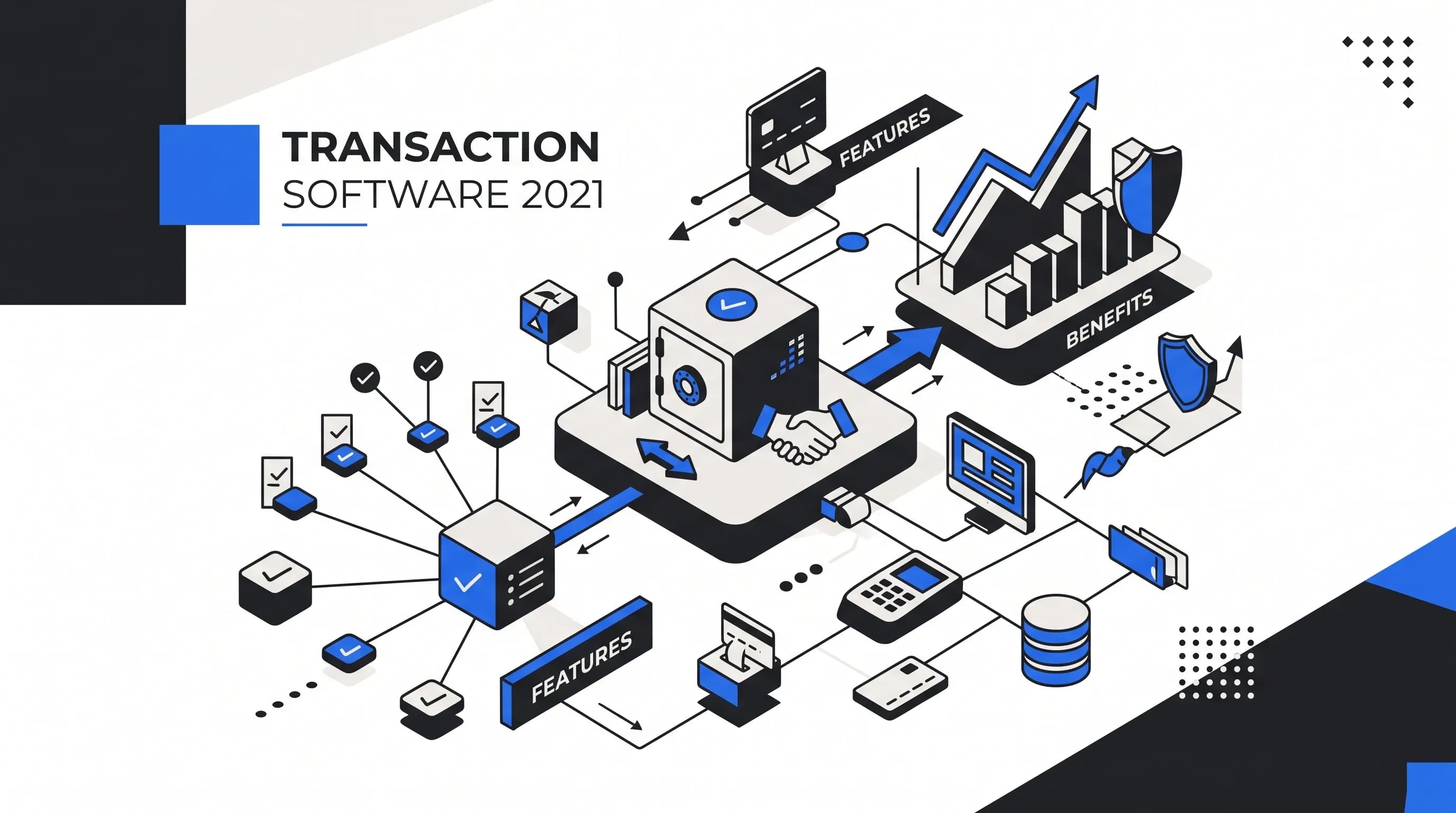
Transaction software in 2021 became much more than a back-office convenience. It became the operating layer businesses needed to process payments, manage documents, track approvals, report accurately, reduce errors, and stay compliant while more work moved online.
In real estate, finance, payments, retail, logistics, and accounts payable, the same problem kept showing up: transactions were becoming too complex for spreadsheets, sticky notes, email folders, paper checklists, and disconnected systems. We saw this especially clearly in real estate transaction management, where one deal can involve buyers, sellers, agents, lenders, escrow or title teams, inspectors, disclosures, addenda, signatures, commission details, and strict contract deadlines.
So when we talk about transaction software 2021, we are not talking about one narrow category. We are talking about a family of tools that includes transaction management software, transaction reporting software, payment processing software, payment service provider software, transaction document management software, and industry-specific platforms like real estate transaction management software.
The best platforms had one thing in common: they helped teams centralize transaction data, automate workflows, maintain audit trails, manage documents, improve visibility, and move every transaction from start to finish with less friction.
Transaction software is a digital system used to manage, process, monitor, document, report, and optimize transactions. A transaction can be financial, operational, contractual, or document-based.
That means transaction software can support a customer payment, a supplier invoice, a real estate closing, a payment settlement, a refund, a chargeback, a purchase order, a commission payout, or a regulatory report. The goal is to replace scattered manual processes with a centralized, automated, auditable system.
In practical terms, transaction software helps businesses answer questions like:
For real estate teams, this definition becomes very tangible. A strong real estate transaction management platform is not just a place to store PDFs. It becomes the operating system for the file: property details, contacts, contract dates, task lists, checklists, disclosures, e-signatures, email templates, status updates, commission information, compliance reviews, and archived closed files all live in one place.
By 2021, businesses were dealing with a major acceleration in digital behavior. Customers expected online payments, contactless checkout, mobile access, faster approvals, and real-time updates. Employees also needed cloud-based workflows because remote and hybrid work had become normal.
Manual transaction handling did not disappear overnight, but its weaknesses became harder to ignore. We could still make spreadsheets work for a few real estate files or a small batch of invoices. But once transaction volume increased, the cracks showed quickly: missed deadlines, duplicate data entry, lost documents, unclear ownership, reporting delays, and compliance gaps.
Payment service providers, fintech platforms, e-commerce businesses, banks, and marketplaces needed better payment processing software because customers were using more digital payment methods. Credit cards, debit cards, online banking, e-wallets, mobile payments, peer-to-peer payments, QR codes, subscriptions, refunds, and chargebacks all needed to be processed securely and tracked accurately.
Real estate agents were not sitting at a desk all day. They were working from homes, cars, showings, offices, coffee shops, and client meetings. Finance teams needed approvals without paper routing. Operations teams needed visibility without chasing emails. In 2021, a transaction management system without mobile access, cloud-based document storage, or real-time updates felt outdated fast.
Transaction-heavy businesses had to think about PCI DSS compliance, GDPR compliance, secure transaction data, audit trails, role-based access, data integrity, fraud prevention, brokerage compliance, and financial reporting controls. A transaction management platform helped standardize workflows so compliance was not dependent on memory.
Static reports and manual status checks were not enough. Businesses wanted real-time dashboards showing pending approvals, failed payments, missing documents, reporting exceptions, deadline risks, suspicious activity, and bottlenecks. In real estate, this meant agents and transaction coordinators needed to know which inspection deadline, appraisal deadline, financing deadline, title task, disclosure, or closing milestone was coming next.
The term transaction software can refer to several related categories. Understanding the difference matters because the best transaction management software for a real estate brokerage is not the same as the best payment processing software for a fintech company.
| Software Type | Primary Purpose | Common Users |
|---|---|---|
| Transaction management software | Tracks and manages the full lifecycle of a transaction, including tasks, documents, approvals, deadlines, and audit trails. | Real estate teams, finance teams, operations teams, logistics companies, brokerages, accounts payable teams. |
| Transaction reporting software | Consolidates, validates, analyzes, and reports transaction data from multiple sources. | Banks, payment companies, finance teams, compliance teams, fintechs. |
| Payment processing software | Authenticates, authorizes, processes, settles, and records payments. | Merchants, e-commerce companies, SaaS businesses, marketplaces, PSPs. |
| Payment service provider software | Supports merchants with payment acceptance, payment routing, settlement, reporting, risk controls, and payment gateway functionality. | Payment service providers, fintechs, banks, merchant platforms. |
| Real estate transaction management software | Manages listings, buyer files, offers, contracts, disclosures, signatures, checklists, compliance, deadlines, and closings. | Agents, transaction coordinators, brokerages, back-office teams. |
| Document and invoice workflow software | Captures, stores, routes, approves, and audits transaction-related documents. | Accounts payable, procurement, legal, finance, supply chain, operations. |
Transaction management software is a system that manages transactions from initiation to completion. It is especially useful when a transaction involves multiple people, documents, deadlines, approvals, systems, or compliance rules.
In real estate, this is exactly the environment we deal with every day. A buyer transaction may start before a property address is even known. In tools like Transaction Desk, it is normal to create a buyer transaction with the client’s name and a placeholder like “To Be Determined,” then update the property address after an offer is accepted. That flexibility matters because real-world workflows are rarely perfectly linear.
For finance teams, the same concept applies to invoice transaction management. An invoice might arrive by email, require matching to a purchase order, need department approval, and then move into an accounting system. Without a centralized transaction management system, that workflow often becomes a chain of inboxes and reminders.
Real estate transaction management software deserves special attention because real estate is one of the clearest examples of why transaction software became essential. Every deal has deadlines, documents, people, signatures, conditions, amendments, approvals, and compliance obligations.
For a low-volume agent, a spreadsheet may work temporarily. But once we start managing multiple listings, buyers, pending deals, inspections, lenders, title companies, addenda, disclosures, and closing dates, memory is not a system. A real estate transaction management system gives us the structure to manage the file without relying on mental load.
This is where platforms such as A-frame, tcDocs, Transaction Desk, Dotloop, SkySlope, Paperless Pipeline, BrokerMint, Jointly, Open to Close, and Airtable-based systems each approach transaction coordination differently. Some are stronger for document management and e-signatures. Some are built around checklists and email workflows. Some are better for brokerage back-office compliance and commission tracking. Some are flexible but require more setup.
Templates are one of the biggest time savers in any transaction workflow software. Without templates, we recreate the same work over and over: the same listing checklist, the same buyer intake process, the same inspection reminder, the same lender follow-up, the same closing update, and the same compliance review steps.
With task templates and checklist templates, a new transaction can inherit the right workflow in seconds. For example, a standard purchase file may receive a transaction checklist, an inspection contingency checklist, and a mortgage contingency checklist. A specific agent may also have custom preferred-vendor emails or branded status updates. That level of customization turns transaction coordinator software into something much closer to an assistant than a simple database.
Real estate is deadline-heavy. Inspection periods, appraisal dates, loan commitment deadlines, financing contingencies, title deadlines, listing expiration dates, contingency removals, and closing dates all matter. A strong transaction management platform should make dates visible, automated, and easy to update.
Date formulas are especially useful. If a deadline is five business days after the effective date, the software should calculate that automatically. If the contract start date changes, related dates should update too. Some systems can also push dates to Gmail or Outlook calendars and send calendar invites that adjust when dates change inside the platform.
Practical rule: If a real estate transaction platform does not make checklists, deadlines, documents, and signatures easier to manage, it may create double work instead of reducing it.
Transaction reporting software focuses on consolidating, validating, analyzing, and reporting transaction data. It is especially valuable for banks, payment companies, fintech firms, PSPs, finance teams, and high-volume organizations that need accurate reporting across many data sources.
In 2021, spreadsheet-based reporting became a major risk for transaction-heavy businesses. When data comes from banks, payment gateways, card schemes, merchant systems, accounting tools, internal ledgers, and reconciliation platforms, manual reporting can lead to duplicate records, broken formulas, inconsistent formats, missed deadlines, and poor decision-making.
For real estate brokerages, transaction reporting may look different from fintech reporting, but the principle is the same. Brokerages need visibility into active listings, pending deals, closed files, missing documents, commission splits, agent production, compliance exceptions, and transaction status. A dashboard that shows what is overdue or incomplete is far more useful than a spreadsheet nobody trusts.
Payment processing software handles the authorization, authentication, processing, settlement, and recording of payments. It supports card payments, online bank payments, mobile wallets, subscriptions, refunds, chargebacks, peer-to-peer payments, and business-to-business transactions.
Payment service provider software, or PSP software, is broader. A payment service provider allows merchants to accept multiple payment methods through a single platform. Examples of well-known PSPs include PayPal, Stripe, Braintree, and Venmo.
| Category | Payment Gateway | Payment Service Provider |
|---|---|---|
| Main role | Securely captures, encrypts, transmits, and authorizes payment data. | Provides broader payment acceptance, routing, merchant services, settlement support, reporting, and risk controls. |
| Scope | Narrower payment data transfer and authorization layer. | Broader payment platform that may include gateway functionality. |
| Key features | Encryption, authorization, secure checkout, gateway APIs. | Multiple payment methods, reporting, settlement, risk management, merchant onboarding, fee configuration. |
For payment transaction software in 2021, security was non-negotiable. PCI DSS support, fraud monitoring, secure authentication, transparent fees, mobile checkout, API integration, settlement reporting, and chargeback visibility were all core buying factors.
Not every transaction is a direct customer payment. Many business transactions are document-based: supplier invoices, contracts, purchase orders, delivery documents, compliance files, claims, internal approvals, and closing packages.
Transaction document management software captures, stores, routes, approves, and retrieves documents tied to a transaction. This is valuable for accounts payable teams, procurement departments, legal teams, logistics companies, real estate brokerages, and finance operations.
An invoice workflow may include document capture, purchase order matching, approval routing, accounting system integration, payment tracking, exception management, and audit trail creation. Without automated transaction management, those steps often happen across inboxes, shared folders, spreadsheets, and manual reminders.
In real estate, the same document control problem appears with executed contracts, seller disclosures, lead-based paint disclosures, inspection reports, appraisals, amendments, commission instructions, closing disclosures, and brokerage-required forms. A good platform should let us upload documents, create placeholders, mark required files complete, send files for e-signature, and archive the closed file securely.
Whether we are evaluating real estate transaction coordinator software, payment processing software, transaction reporting software, or a broader business transaction management system, the best platforms usually share a core feature set.
A centralized transaction management solution creates one source of truth. Instead of searching email threads, folders, calendars, spreadsheets, and separate software tools, users can see transaction status, documents, contacts, approvals, notes, dates, and reports in one place.
Transaction workflow automation reduces repetitive administrative work. Useful automations include approval routing, deadline reminders, email templates, document routing, payment tracking, compliance checklists, report generation, fraud alerts, and exception handling.
In real estate, automated checklists can be applied based on deal type. A listing file, buyer file, cash purchase, financed purchase, inspection-contingent deal, or agent-specific workflow can all have different steps. That is the kind of automation that prevents missed details.
Transaction document management software should support secure document storage, upload, search, document approvals, attachment templates, e-signatures, version control, and access permissions. In high-volume environments, document placeholders are especially useful because they show what has been received and what is still missing.
Real-time dashboards improve visibility. They help teams monitor transaction status, approval stages, missing documents, failed payments, delayed settlements, upcoming deadlines, compliance exceptions, variance tracking, and reconciliation status.
Audit trails record who did what, when they did it, and sometimes why they did it. This supports compliance management, regulatory reporting, dispute resolution, internal governance, and brokerage oversight.
Transaction software should connect with the systems a business already uses. Common integrations include:
In real estate, email and calendar integrations can be a major time saver. Email templates with merge fields can automatically populate lender names, closing dates, property addresses, agent contact information, and custom signatures. Still, we should choose the workflow carefully; some teams prefer sending from Gmail directly to avoid adding unnecessary layers.
Not every participant should see everything. A transaction coordinator may need full file access, while an agent may need a portal view, a buyer may need selected documents, and a brokerage admin may need compliance review access. Role-based access control protects sensitive transaction data and keeps the workflow clean.
Mobile access became essential by 2021. Agents, managers, clients, and approvers needed to review documents, approve tasks, check dashboards, send forms, sign agreements, receive push notifications, and monitor deadlines from phones and tablets.
For payment transaction software, fraud detection is a must-have feature. AI-powered transaction monitoring can flag unusual transaction amounts, repeated failed attempts, suspicious refund patterns, unexpected location changes, merchant anomalies, abnormal chargeback behavior, and transaction spikes.
The best transaction management software should grow with transaction volume. A platform that works for five transactions should not collapse at fifty, five hundred, or five thousand. Scalability includes performance, users, storage, workflows, integrations, entities, currencies, reports, and compliance requirements.
The benefits of transaction software are practical, not abstract. The right platform should reduce manual work, improve accuracy, speed up transaction processing, and create better control.
In real estate, the customer experience point matters a lot. Automation should not make clients feel like they are dealing with a robot. The best transaction software gives us more time for the human side of the business by handling repetitive work in the background.
These categories overlap, but they are not the same. Choosing the right platform starts with knowing which problem we are solving.
| Comparison | Primary Focus | Best For |
|---|---|---|
| Transaction management software | Managing the lifecycle of a transaction, including workflows, approvals, documents, deadlines, and audit trails. | Real estate, finance operations, accounts payable, logistics, document-heavy workflows. |
| Transaction reporting software | Consolidating, validating, analyzing, reconciling, and reporting transaction data. | Banks, PSPs, fintechs, finance teams, compliance teams, high-volume reporting environments. |
| Payment processing software | Authorizing, authenticating, routing, settling, refunding, and recording payments. | Merchants, e-commerce companies, SaaS platforms, marketplaces, PSPs. |
| Document management software | Storing, organizing, retrieving, and securing documents. | Businesses that need document control but may not need full transaction workflow automation. |
A real estate brokerage usually needs transaction management software with strong document management, checklist automation, e-signatures, compliance tools, agent portals, and commission tracking. A payment company usually needs PSP software, transaction reporting software, fraud detection, payment gateway integration, settlement visibility, and API support.
Real estate transaction software helps agents, transaction coordinators, and brokerages manage listings, buyer files, offers, contracts, disclosures, e-signatures, deadlines, compliance reviews, commission information, and closing documents. Portals can also give agents, buyers, and sellers selected visibility without exposing the entire internal file.
Transaction management software for banking and financial services supports payment tracking, regulatory compliance, transaction monitoring, risk controls, audit trails, reporting dashboards, reconciliation, fraud detection, and secure transaction data.
Payment service provider software supports merchant onboarding, payment processing, payment gateway integration, payment routing, settlement tracking, multi-currency reporting, chargebacks, fees, API integration, fraud prevention, and compliance workflows.
Retailers and e-commerce companies use transaction software to manage online payments, refunds, chargebacks, order-related documents, payment reconciliation, fraud alerts, customer service workflows, and reporting.
Logistics companies need document-centered transaction management for purchase orders, delivery documents, shipping records, customs documents, vendor approvals, claims, and audit-ready transaction histories.
Accounts payable transaction management helps teams capture invoices, route approvals, match documents, integrate with accounting systems, track payment status, maintain audit trails, and improve cash flow visibility.
The best transaction software is not the platform with the longest feature list. It is the platform that matches how the business actually works and can still support the business as it grows.
Start by identifying the transaction types: customer payments, supplier invoices, real estate deals, payment reports, refunds, chargebacks, subscriptions, bank transfers, document approvals, or multi-party workflows.
Before buying software, map the existing process. Where does the transaction begin? Who approves it? Which documents are required? Which systems are involved? Where do delays happen? What errors appear most often? What compliance requirements apply?
For real estate transaction coordinators, checklist functionality, deadline automation, document tracking, email templates, e-signature integration, calendar visibility, and status updates are usually non-negotiable. For brokerages, compliance workflows and commission tracking may be equally important. For payment companies, APIs, fraud detection, PCI DSS support, settlement reporting, and multi-currency functionality may be critical.
A transaction management platform should not become another disconnected tool. Check integration with CRM, accounting software, ERP, payment gateways, banking platforms, MLS systems, e-signature tools, Gmail, Outlook, document repositories, reporting systems, and internal ledgers.
Look for encryption, secure authentication, role-based access, audit logs, data retention policies, secure hosting, backup and recovery, fraud monitoring, incident response support, PCI DSS compliance where relevant, and GDPR-aware data handling.
Software adoption depends on user experience. Evaluate dashboard clarity, mobile access, search, document retrieval, approval simplicity, notification quality, setup difficulty, training materials, and customer support.
Transaction software pricing may include monthly subscriptions, annual plans, per-user fees, transaction fees, setup fees, gateway fees, chargeback fees, cross-border fees, and volume-based pricing. The platform should make sense for today’s transaction volume and tomorrow’s growth.
Some businesses in 2021 bought existing transaction management platforms, PSP software, or real estate transaction coordinator tools. Others considered building custom transaction software.
Building may make sense when a company needs proprietary workflows, custom fee structures, white-label capabilities, specialized payment logic, regional payment support, deep internal integrations, custom reporting, or unique compliance controls.
However, building transaction processing software is complex. The business must plan for architecture, secure APIs, hosting, scalability, identity verification, audit trails, data protection, payment security, PCI DSS, GDPR, fraud prevention, backup and recovery, and ongoing support.
For many real estate teams, buying a dedicated platform is more practical. A transaction coordinator does not usually need to build software from scratch; they need checklists, dates, templates, portals, document storage, signatures, reporting, and workflows that work immediately or can be customized without heavy technical work.
A strong transaction software solution in 2021 should include most of the following features, depending on the use case:
Transaction software solves the problems that appear when businesses rely too heavily on spreadsheets, email, paper files, and disconnected tools.
In real estate, one of the biggest wins is reducing mental load. If the system can show today’s tasks, upcoming deadlines, missing signatures, agent-specific preferences, and status updates across all active files, we are no longer trying to run a transaction business from memory.
Transaction software is a digital system used to manage, process, track, document, report, and optimize transactions. It can include payment processing software, transaction management software, transaction reporting software, document workflow software, and real estate transaction management software.
Transaction management software manages the full lifecycle of a transaction, including transaction tracking, workflow automation, document management, approvals, deadlines, audit trails, reporting, and compliance controls.
Transaction software became critical in 2021 because digital payments, remote work, mobile workflows, online commerce, compliance pressure, and transaction volume all increased. Manual processes became too slow, risky, and error-prone for many businesses.
The best transaction management software depends on the use case. Real estate teams may prioritize checklists, e-signatures, deadline tracking, portals, compliance, and commission tracking. Payment companies may prioritize APIs, fraud detection, payment gateway integration, settlement reporting, and PCI DSS support. Finance teams may prioritize invoice workflows, approvals, accounting integration, and audit trails.
Real estate transaction management software helps agents, transaction coordinators, and brokerages manage listings, buyer files, offers, contracts, disclosures, signatures, documents, deadlines, compliance reviews, status updates, and closings.
Transaction management software focuses on managing the transaction workflow from start to finish. Transaction reporting software focuses on consolidating, validating, analyzing, reconciling, and reporting transaction data, often from multiple systems.
Important features include centralized transaction tracking, workflow automation, document management, secure storage, real-time dashboards, reporting, audit trails, integrations, role-based access, fraud detection, mobile access, compliance workflows, and scalable infrastructure.
Yes, in many cases. Spreadsheets can work for low-volume workflows, but dedicated transaction software is usually better for high-volume or compliance-sensitive transactions because it supports automation, audit trails, secure document storage, real-time visibility, and standardized workflows.
No. Automation helps with reminders, templates, deadlines, emails, and document workflows, but real estate still depends on human communication and judgment. The best software supports the relationship instead of replacing it.
Transaction software in 2021 showed us that manual processes do not scale well when transactions become more digital, more regulated, more document-heavy, and more time-sensitive.
The best transaction management software centralized data, automated workflows, improved transaction accuracy, supported compliance, created audit-ready records, and gave teams real-time visibility. Payment businesses needed secure PSP software, payment processing software, fraud detection, APIs, mobile checkout, and reporting. Finance teams needed invoice transaction management, accounting integration, approvals, and audit trails. Real estate teams needed checklists, deadline automation, e-signatures, document control, portals, compliance workflows, and commission visibility.
The core lesson is simple: as transaction volume and complexity grow, spreadsheets and scattered systems become liabilities. A strong transaction management platform gives us speed, accuracy, security, visibility, compliance, and control while freeing up more time for the work that still requires human attention.

Hey, in Propphy we're determined to make a business grow. My only question is, will it be yours?
It's totally free, with no commitments
Hey, in Propphy we're determined to make a business grow. My only question is, will it be yours?
It's totally free, with no commitments